Skip to content
Pebbles Ai

Outreach content

Messages worth sending

Build email and LinkedIn campaigns with a persona for each piece, ask an assistant for a message, reply or follow-up in chat, save emails as drafts in your connected mailbox and review the work as a team.

Writing outreach nobody answers?

Messages worth sending

Build email and LinkedIn campaigns with a persona for each piece, ask an assistant for a message, reply or follow-up in chat, save emails as drafts in your connected mailbox and review the work as a team.

  • Campaign builder
  • Mailbox drafts
  • Team review
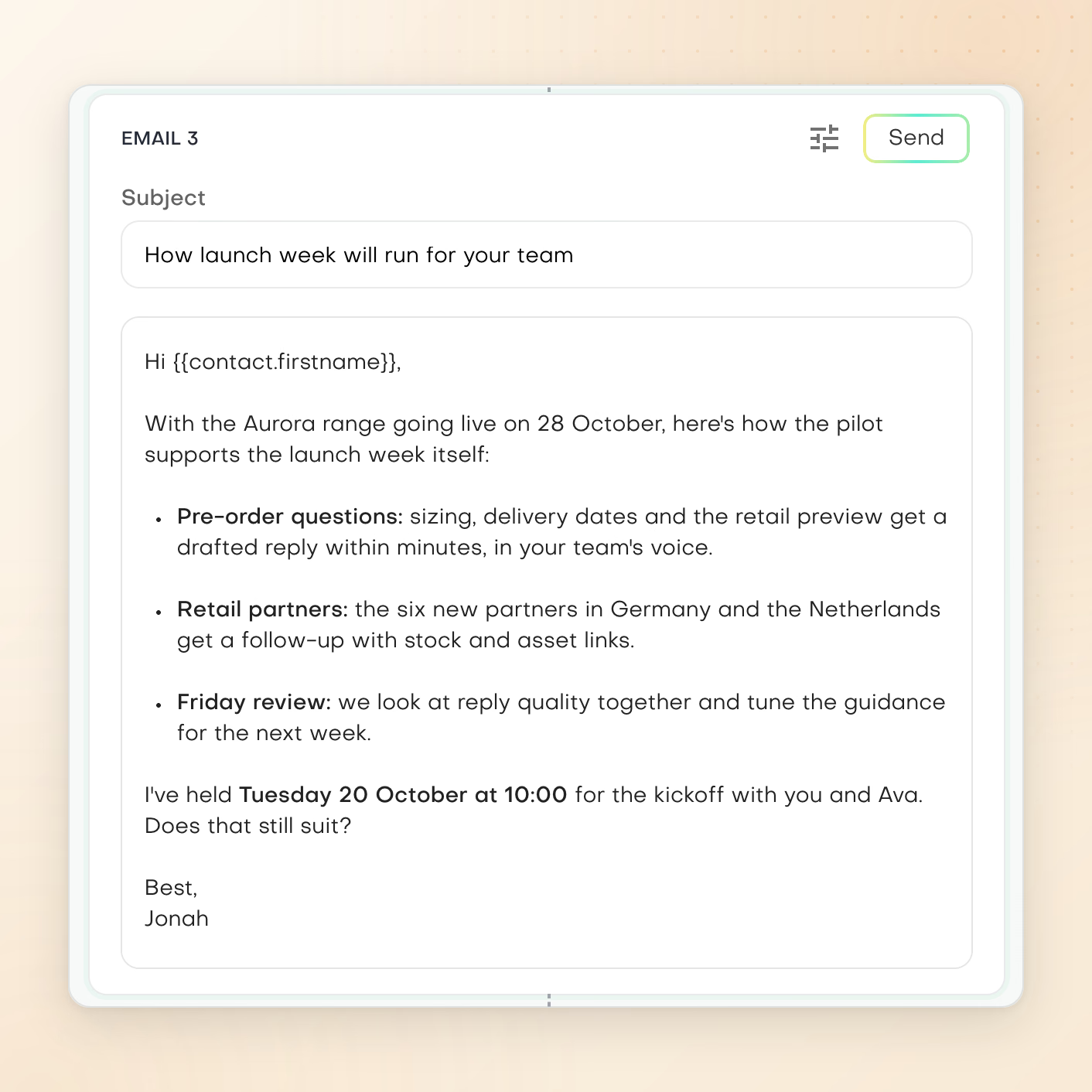
Email 3 of Jonah Reyes's Northwind Kites pilot follow-up, 'How launch week will run for your team', setting out pre-order replies, retail partner follow-ups and a Friday review ahead of the Aurora launch on 28 October.

A campaign, email by email

Develop each email of a multi-touch campaign in its own editor, then review the sequence before choosing how to send it.

What you can work on

Outreach content

Build the campaign

Choose email or LinkedIn and a single-touch or multi-touch campaign of up to seven touches. Create personalities that set the voice your drafts are written in, then pick one as the persona for each piece. In chat, assistants also write a new message, a reply or a follow-up, or check whether an incoming message is worth answering.
Drafts in your own mailbox

With a connected Gmail or Outlook mailbox, generated emails are saved there as drafts. A template send delivers a template to a CRM segment through Gmail or Outlook and always asks for your approval first.

Make review part of the work

Professional users can build campaigns on their own. Review, approval and working with more than one user need Team or higher.

Current product view

Start from a clear format

Choose a starting point, then shape the message around your audience. Generated emails are saved as drafts in your connected Gmail or Outlook mailbox for you to send.

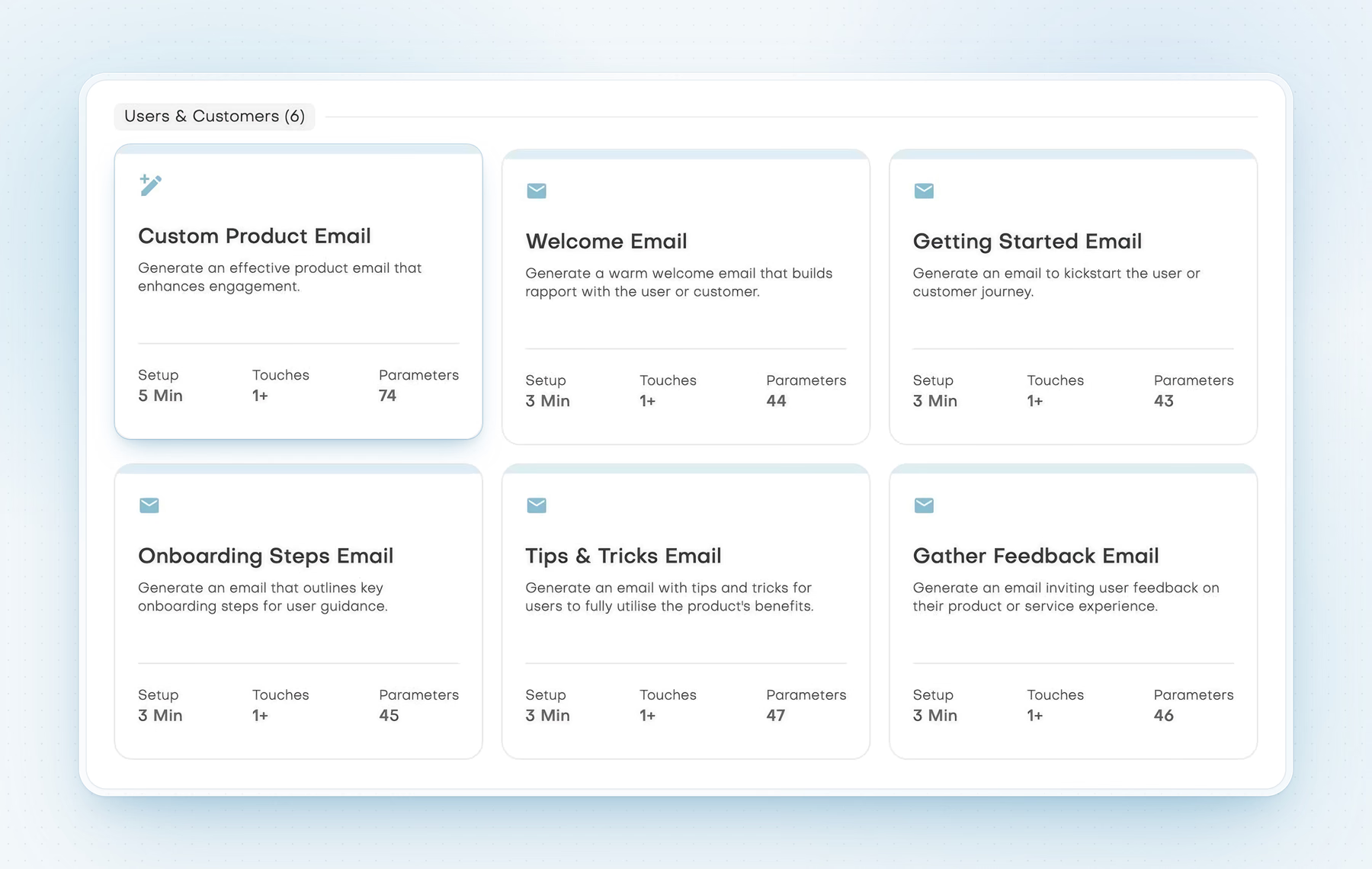
Users and Customers email templates including Welcome Email, Getting Started Email and Gather Feedback Email.

Messages for users and customers

Prepare content for customer onboarding, product guidance and feedback requests.

Scroll horizontally to inspect the full product view.

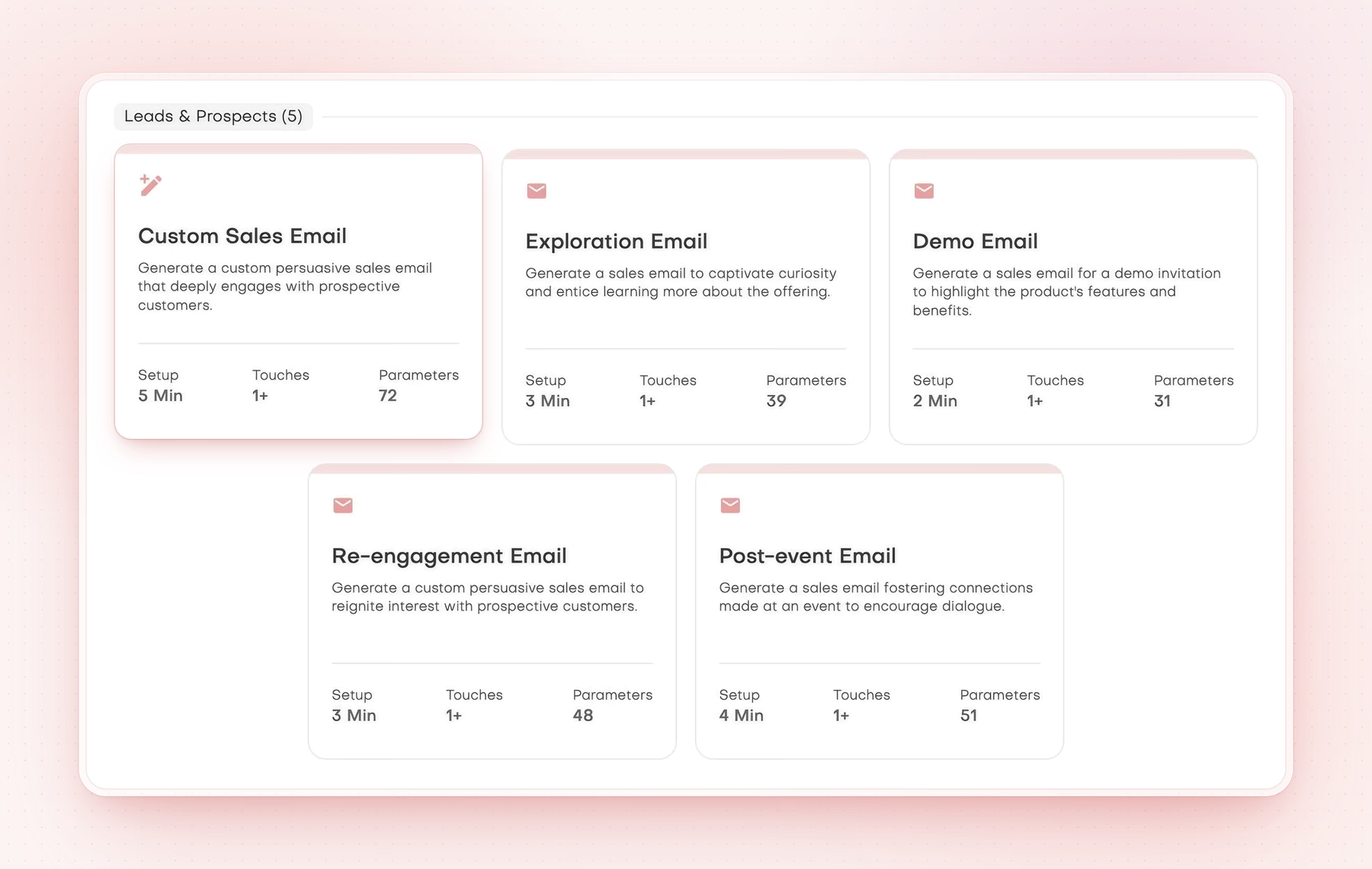
Leads and Prospects email templates including Custom Sales Email, Exploration Email and Demo Email.

Messages for leads and prospects

Choose a sales email starting point and refine it for the conversation you want to open.

Scroll horizontally to inspect the full product view.

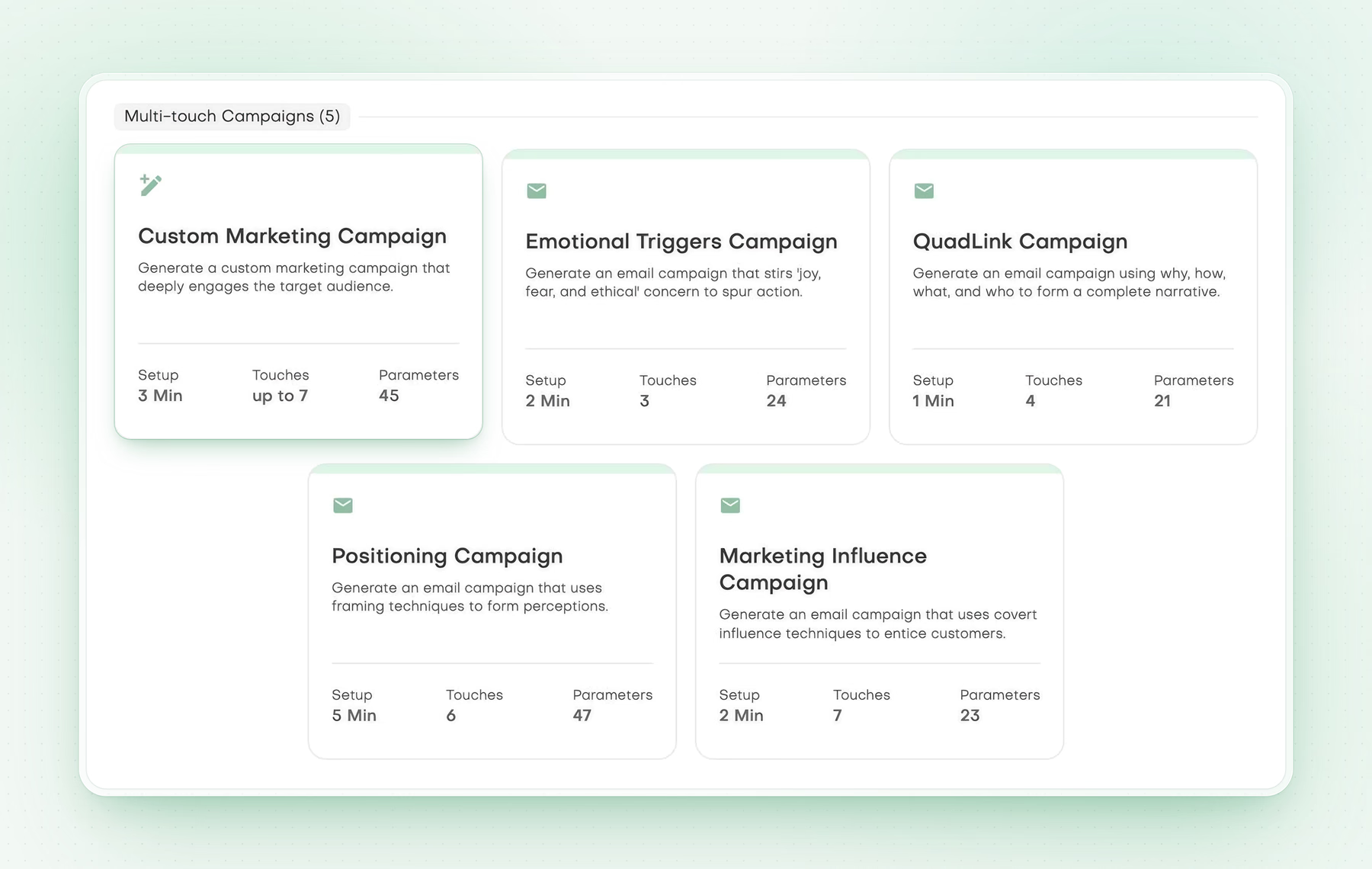
Multi-touch campaign content templates including Custom Marketing Campaign and Positioning Campaign.

Multi-touch marketing content

Build a series of messages around a marketing goal. Creating the content is separate from scheduling or sending it.

Scroll horizontally to inspect the full product view.

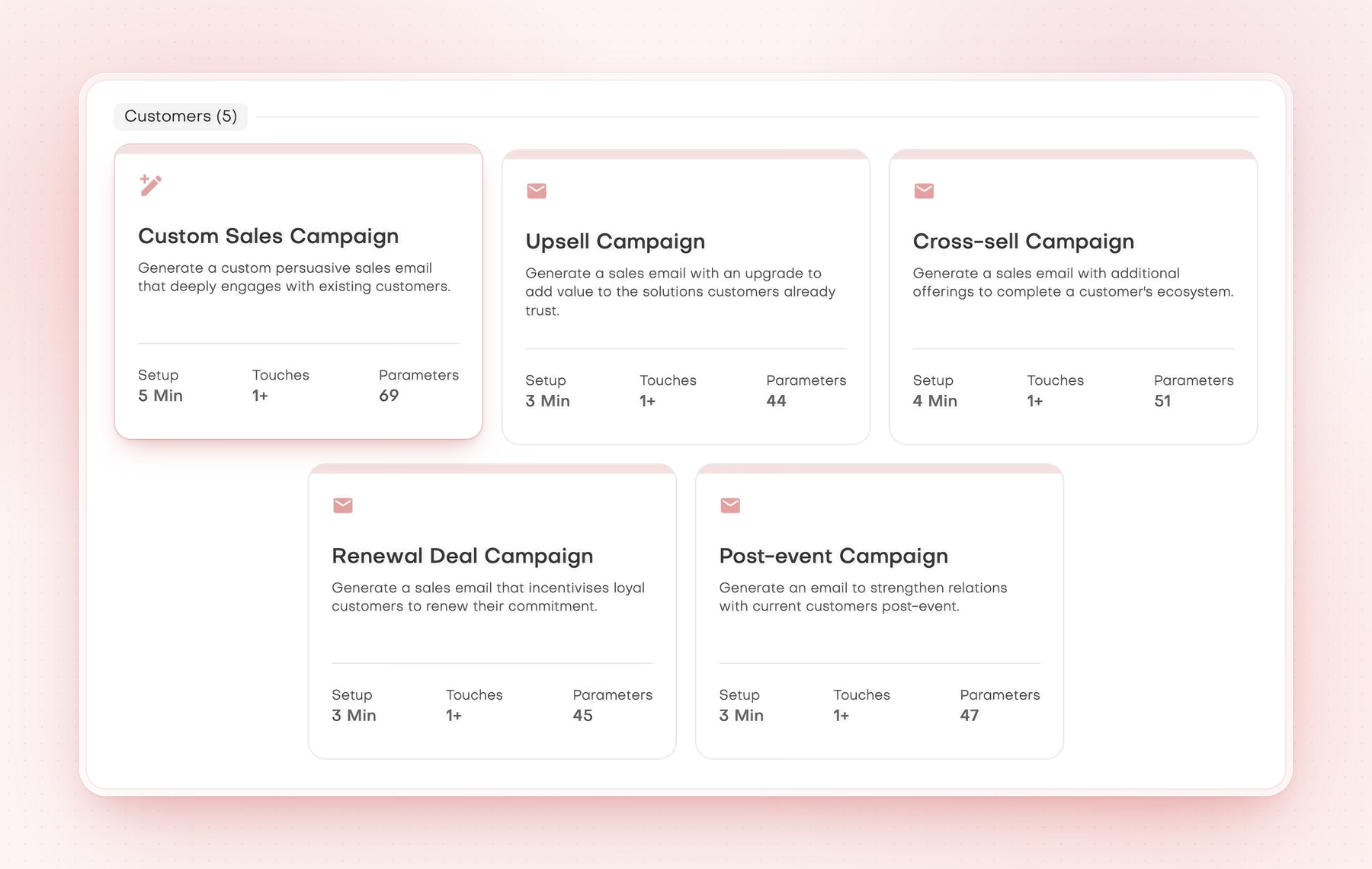
Customers campaign content templates including Upsell Campaign, Cross-sell Campaign and Renewal Deal Campaign.

Customer sales content

Develop multi-touch content for existing customer relationships, then review it before choosing a delivery workflow.

Scroll horizontally to inspect the full product view.

A practical starting point

How to approach the work

  1. Choose the channel, campaign type and persona.
  2. Generate and revise the content, one message or touch at a time.
  3. Review the drafts in your mailbox, or approve a template send to a segment.

Hands down the most comprehensive, science-backed outbound engine I’ve seen. Every message is precise, relevant, and built to persuade. Love it!

Jose LlorensVP of Marketing, Otovo

Clear answers

Common questions

What outreach can Pebbles Ai help me write?

Email and LinkedIn campaigns, from a single message to a series of up to seven touches. You pick a persona for each piece. In chat, the assistants also write new messages, replies and follow-ups, and check whether an incoming message is worth answering.
What is a persona in outreach?

A persona is the writing voice for a message. You create personalities that set the voice your drafts are written in, then pick one as the persona for each piece. Your Company Intel also gives the assistants context about your business.

Can AI write a follow-up email after a sales call?

Yes. Ask an assistant in chat for a follow-up and share your notes from the call. It writes the message from your notes and your company context. With a connected Gmail or Outlook mailbox, the email is saved there as a draft for you to check.

Does creating a campaign send it automatically?

No. Generated emails are saved as drafts in your connected Gmail or Outlook mailbox. A template send to a CRM segment always asks for your approval first. LinkedIn messages are drafted for you to send yourself.

Do I need to connect my mailbox for outreach?

Yes, for email drafts. Pebbles Ai saves generated emails as drafts in a connected Gmail or Outlook mailbox. Connect it in Settings, Connections. Each person connects their own inbox, and you can add more than one.

Does Pebbles Ai automate LinkedIn outreach?

No. Pebbles Ai writes LinkedIn messages for you to send yourself. It does not send messages or connection requests on LinkedIn for you. Socialbox, coming soon, will let you read and answer LinkedIn chats inside Pebbles Ai, still written and sent by you.

Does Pebbles Ai warm up my mailbox for cold email?

No. Email goes out through your own connected mailbox. Pebbles Ai does not rotate mailboxes, warm them up or offer deliverability services, which help email land in the inbox. A multi-touch campaign is prepared as drafts, not sent as an automated sequence.

Can a team review outreach before using it?

Yes, on Team plans and above. Colleagues can review drafts, comment and approve work before anyone uses it. On the Pro plan, one person builds campaigns on their own.

For more context, read Outreach content and email delivery are different jobs

Your next chapter

Make room for work that matters

Bring a real go-to-market challenge. See where Pebbles Ai fits your work.