
Skip to content
Pebbles Ai

Company Intel

Work in company context

Pebbles Ai learns your business from your website, company information and files, turns it into Business knowledge and Brand voice, and works from that context in every task.

Losing know-how every time someone leaves?

Work in company context

Pebbles Ai learns your business from your website, company information and files, turns it into Business knowledge and Brand voice, and works from that context in every task.

  • Learns your business
  • Brand voice
  • Team review
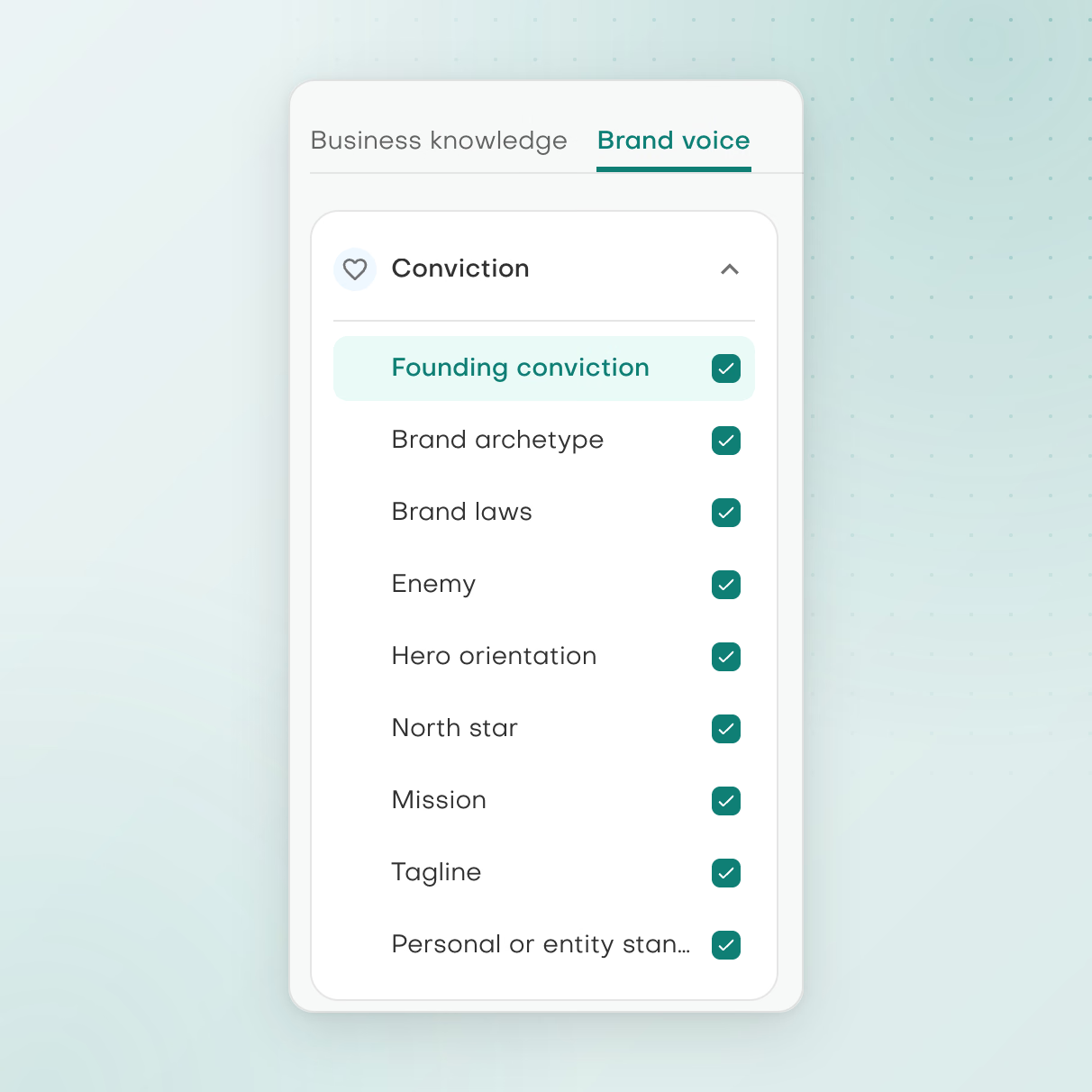
Brand voice tab with the Conviction checklist: nine sections, from Founding conviction to Personal or entity stance, each marked complete.

Brand voice, section by section

Work through Conviction, Audience, Message and Expression, and edit each answer in your own words.

What you can work on

Company Intel

Business knowledge from what you have

Company Intel builds Business knowledge, covering Company, Approach and Offerings, from your website, company information, uploaded files or pasted text. Admins create, edit and delete entries as the business changes, and every assistant works from the result.
Make your voice explicit

Brand voice describes your Conviction, Audience, Message and Expression. Admins see how complete your company knowledge and brand voice are, from Emerging to Distinctive, and can refresh either with “Add what’s missing” or “Start fresh”.

Review before reuse

On Team plans and above, teams send content for review and keep an approved library. Supported outputs move from personal history through review into the Approved Library, and comments in the editor help people decide what is ready to reuse.

Current product view

Build context.
Review what you reuse

Editable company information and reviewed Library content support different parts of your work.

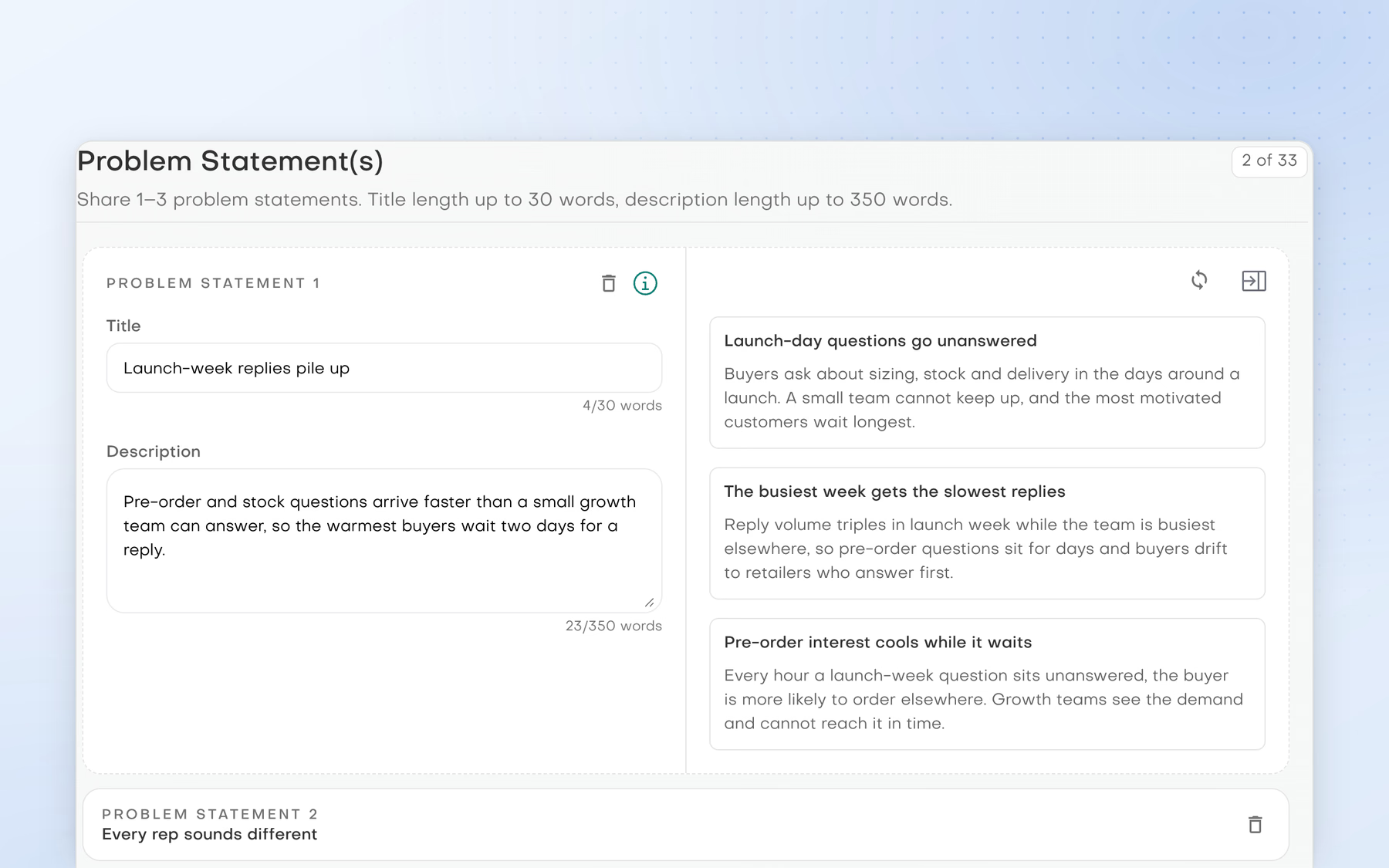
Brightfield's Problem Statement(s) step in Company Intel: the first statement, 'Launch-week replies pile up', open in the editor beside three AI-suggested rewrites, with 'Every rep sounds different' below.

Company information

Review and refine the company information that gives supported workflows their context, with suggested rewrites beside each answer.

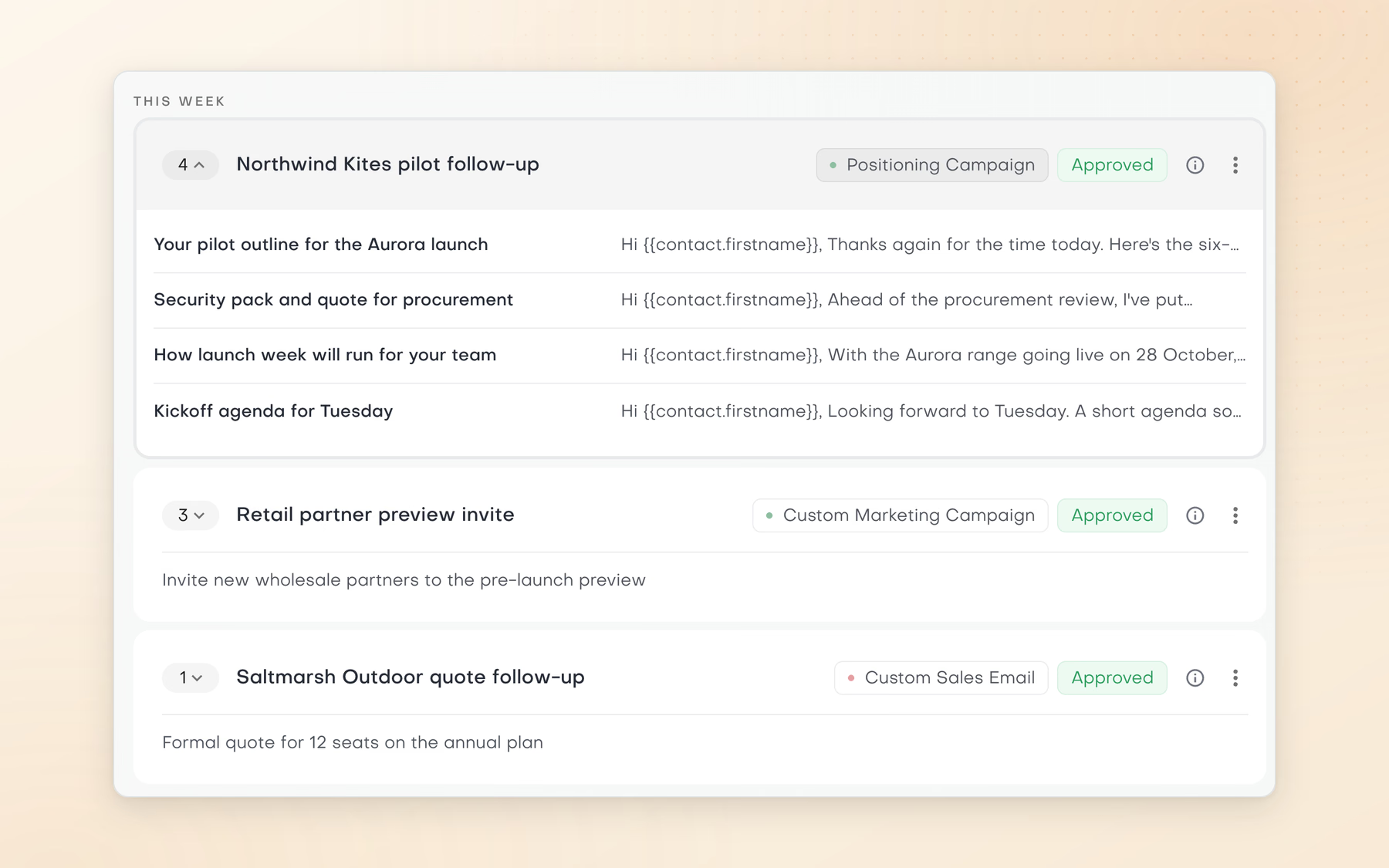
This week in the approved Email Outbound library: the Northwind Kites pilot follow-up expanded to its four emails, from the Aurora pilot outline to the Tuesday kickoff agenda, above Retail partner preview invite and Saltmarsh Outdoor quote follow-up, all marked Approved.

Review and reuse

Keep supported outputs in the Library and move selected work through review before reuse.

A practical starting point

How to approach the work

  1. Add your website, company information and any files or text.
  2. Review the extracted Business knowledge and Brand voice.
  3. Send supported outputs for review and keep approved work in the Library for reuse.

By automating go-to-market related tasks and reusing high-performing items, we significantly cut operating costs while accelerating execution. Fewer people now achieve far more. One marketer and SDR delivers the output of three. With a lean, high-performing team, margins also increased.

Volo DudasCEO & CTO, Codelions

Clear answers

Common questions

What does Company Intel include?

Two parts. Business knowledge covers your Company, Approach and Offerings. Brand voice covers your Conviction, Audience, Message and Expression. Every assistant works from both, so plans and drafts start from your business, not a blank page.

Can Pebbles Ai learn my company from our website?

Yes. An admin adds your website and company information in Company Intel, and can upload files or paste text too. Pebbles Ai turns this into Business knowledge and Brand voice. Admins can then edit entries, or refresh them with Add what's missing or Start fresh.

How do I get AI to write in my brand voice?

Build your Brand voice in Company Intel. It describes your Conviction, Audience, Message and Expression, and the assistants work from it. Smartbox uses it too when it drafts email replies. Admins can see how complete it is, from Emerging to Distinctive.

Does it cost anything to build Company Intel?

The first time is free. The first company-intel extraction and the first brand-voice extraction on each account do not use credits. Later runs, such as a refresh, use AI credits from your Pebbles wallet.

Does adding company information train a private model?

No. Your website, files and pasted text become working context that the assistants read. The AI model itself does not change for your company. Pebbles Ai learns your company as you work, through Company Intel and Agent memory.

How is Company Intel different from Agent memory?

Company Intel is your company's core knowledge and brand voice, built from your website and files and managed by admins. Agent memory keeps short facts people state in chat, such as a preference or a project decision. The assistants work from both.

What can a team reuse from the Library?

Approved work. On Team plans and above, people send supported outputs for review, and colleagues comment in the editor. Approved work moves into the Approved Library for reuse. How it is reused depends on the workflow, so it is not automatic everywhere.

Does Company Intel make sales decks or proposals?

No. Sales Assets are not included, and Company Intel does not design decks or proposals. It holds the knowledge and voice the assistants work from. If you need a slide deck, ask the Strategy assistant in chat and download the file.

For more context, read Why company context matters for AI work

Your next chapter

Make room for work that matters

Bring a real go-to-market challenge. See where Pebbles Ai fits your work.