
The Go-to-Market Operating System™ for SMEs
One workspace
for your whole GTM
Find leads, manage relationships, automate follow-ups, and close more deals, all in one AI-powered platform.

 Gmail
Gmail Google Calendar
 Notion
 Slack
Slack

Copying between tabs all day?
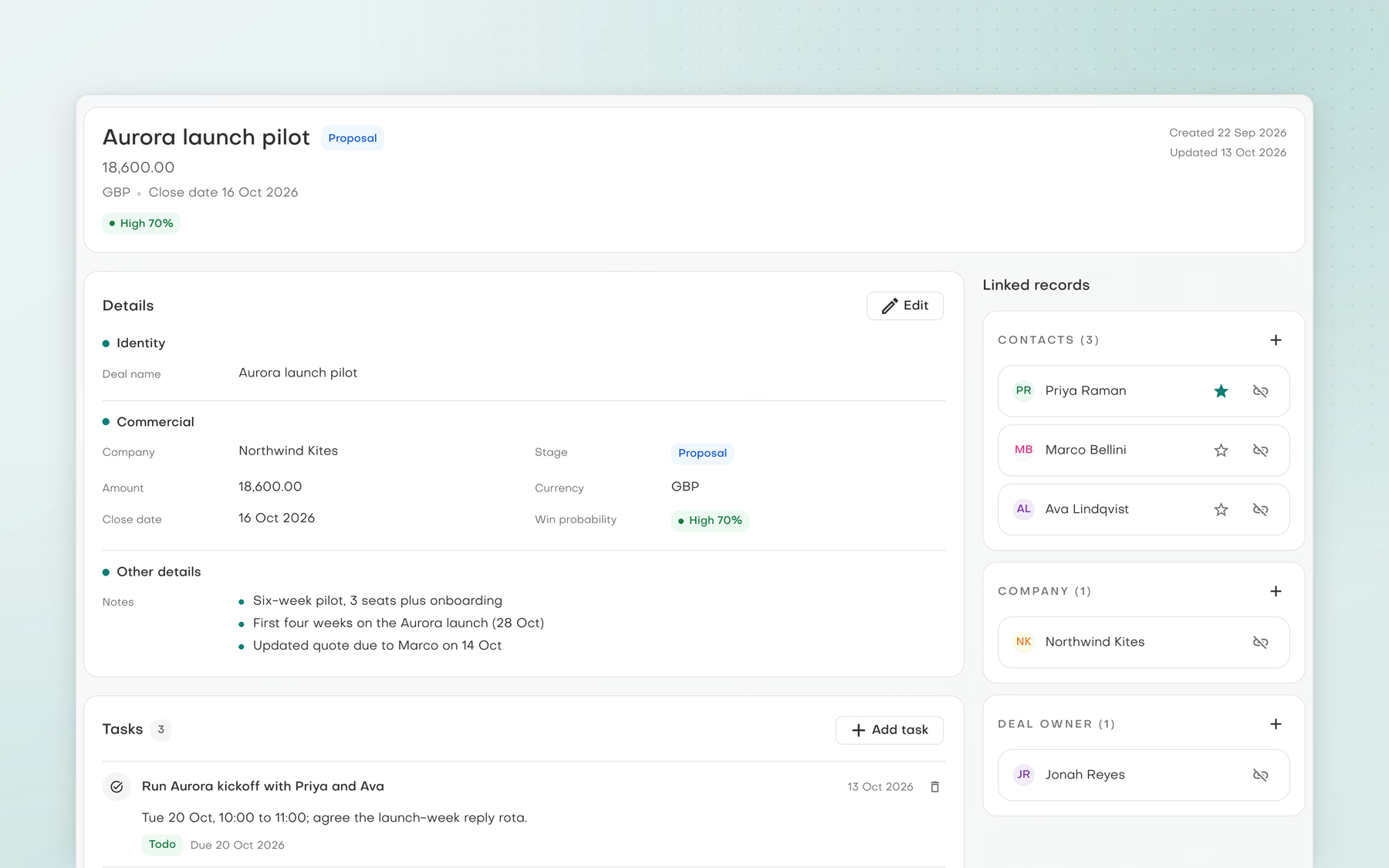
Drawn workflow scenes, one per capability.
Ways to work by role
Pick your role.
See where you start
Pick the role closest to yours. See where to start and three things your assistants can do for you.
Marketing teams
Keep every campaign on brand, from research to launch
See solutions for marketing teams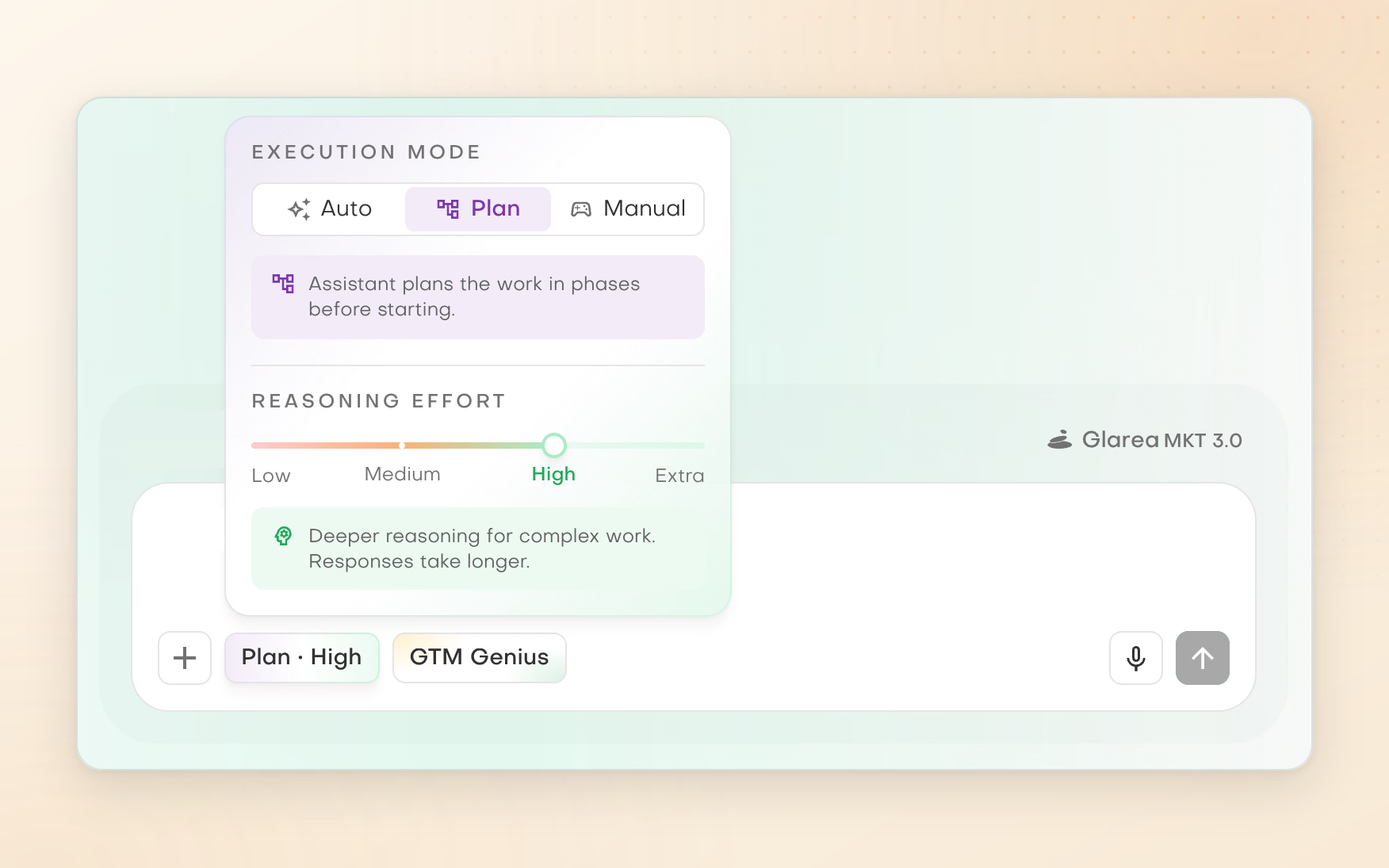
Security and compliance
Independently assessed.
Open to your review

CASA II Certified
App Defense Alliance CASA Tier II assessment
Microsoft 365 Certified
Microsoft 365 App Compliance Program certification
GDPR
EU General Data Protection Regulation and UK GDPR
CCPA
California Consumer Privacy Act
DPA
Data processing agreement with the EU Standard Contractual Clauses and UK IDTA Addendum
Tenant-Isolated AI
Pebbles Ai architecture for tenant isolation and data security
SOC 2 Type IIPending
AICPA Trust Services Criteria, Type II report
ISO 27001Pending
ISO/IEC 27001 information security management system
Certification documentation is available through the trust centre before you commit.
One platform. Many ways forward
The work connects.
Your tools should too

Company Intel
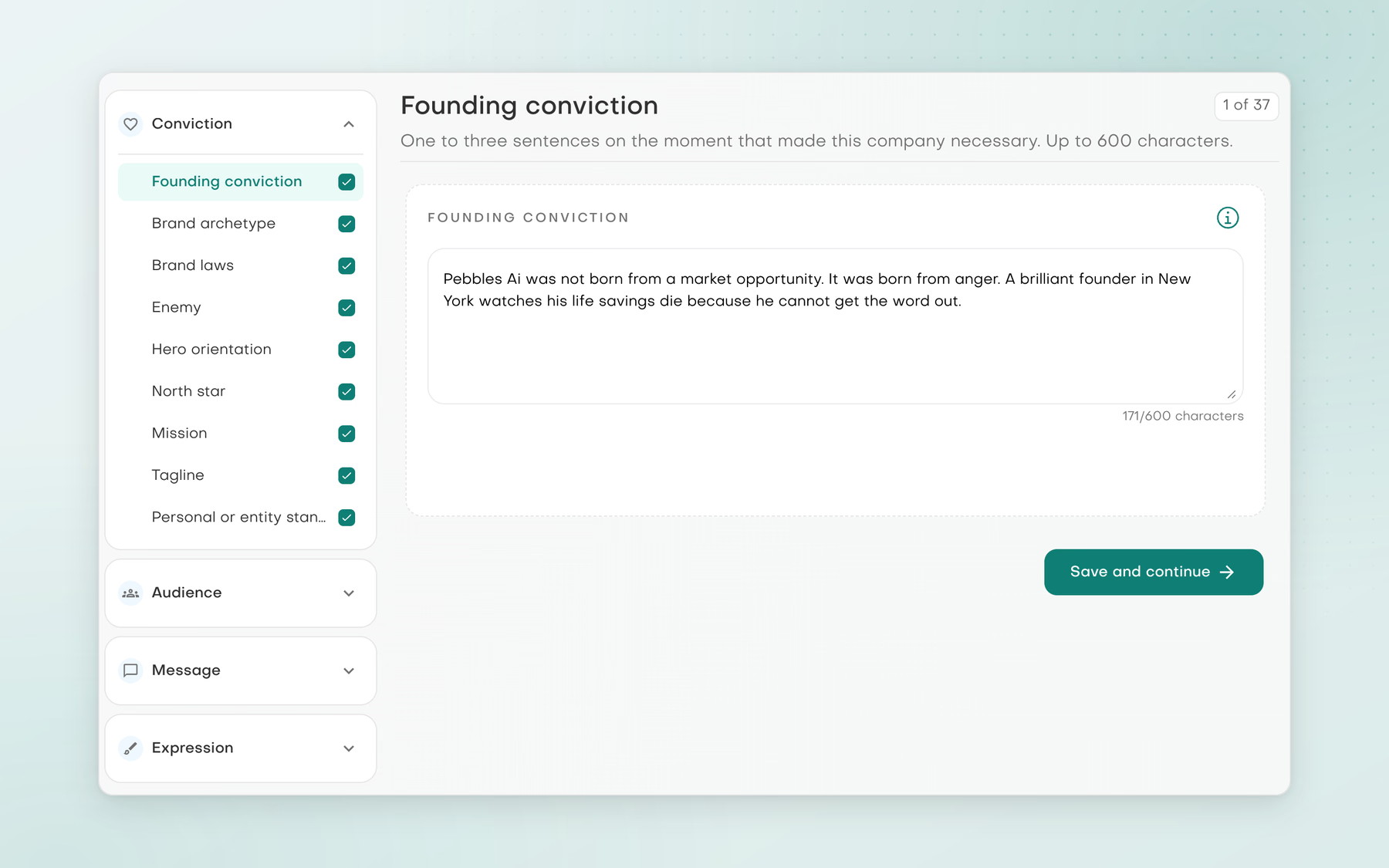
Business knowledge and brand voice that every assistant works from, built from your website, company information and files.
Explore Company Intel
Agent memory
Short facts you share about yourself, a project and your company, carried into later chats and corrected in plain words.
Explore Agent memory

Integrations
Gmail and Outlook inboxes, Google Calendar, Notion, Slack and MCP servers, connected in Settings and used from Assistant chat.
Explore Integrations
AI workspace
Assistant chat with the Marketing and Strategy assistants, projects for related chats, and actions that wait for your approval.
Explore AI workspace
Research & analysis
Read company websites and public sources, pull out what matters and build research you can trace back to its sources.
Explore Research & analysis
Prospecting & customer records
Find leads at named companies, ask for companies that match your ideal customer and keep contacts, segments and deals in the CRM.
Explore Prospecting & customer records
Outreach content
Email and LinkedIn campaigns with a personality for each piece, replies and follow-ups in chat, and drafts saved in your own mailbox.
Explore Outreach content
Smartbox
Gmail and Outlook mail in one place, with replies written or refined by AI from the thread, the recipients and your brand voice.
Explore Smartbox
Socialbox
Socialbox brings LinkedIn, WhatsApp, Instagram and Telegram chats into one inbox, with your LinkedIn network and searches and your LinkedIn and Instagram posts.
Explore SocialboxBuilt for the bigger picture
Not just fewer tabs.
More continuity
A GTM operating system, or GTMOS, puts your company context at the centre of research, prospecting, outreach and the work in between. Replacing tools is only part of the story.
Research informs a decision. A decision shapes an audience. An audience gives a message its purpose. Spread across separate tools, those pieces never quite fit. In one workspace they lock together and the thinking stays connected.
Each piece opens its part of the platform. Start with the ones you need today, and evaluate each workflow, its controls and its handoffs before expanding how you use the platform.
One workspace, shared context
Get to know
Target buyers
Message like you
One workspace
Stay connected
Inside the AI workspace
Bring the work.
Keep the context
Start in Assistant chat with the Marketing and Strategy assistants and keep related chats together in Projects. You choose whether actions that reach outside the workspace wait for your approval.
- Three assistants in one chat
- Projects and memory carry the context
- Approval cards in Manual mode
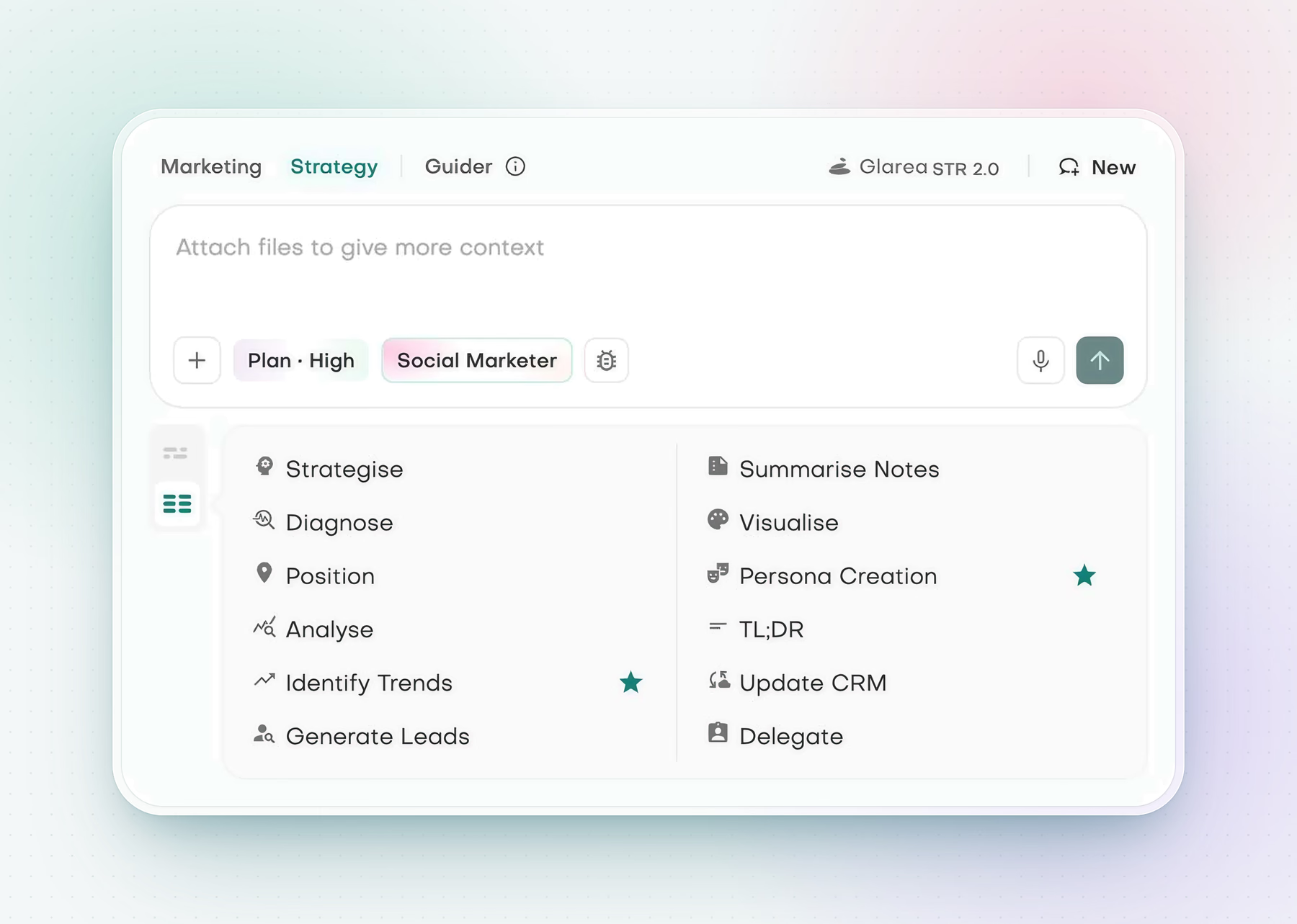
Strategy workspace
Start a strategy task from the composer, or type / to choose a focused assistant skill such as research or write now.
Scroll horizontally to inspect the full product view.
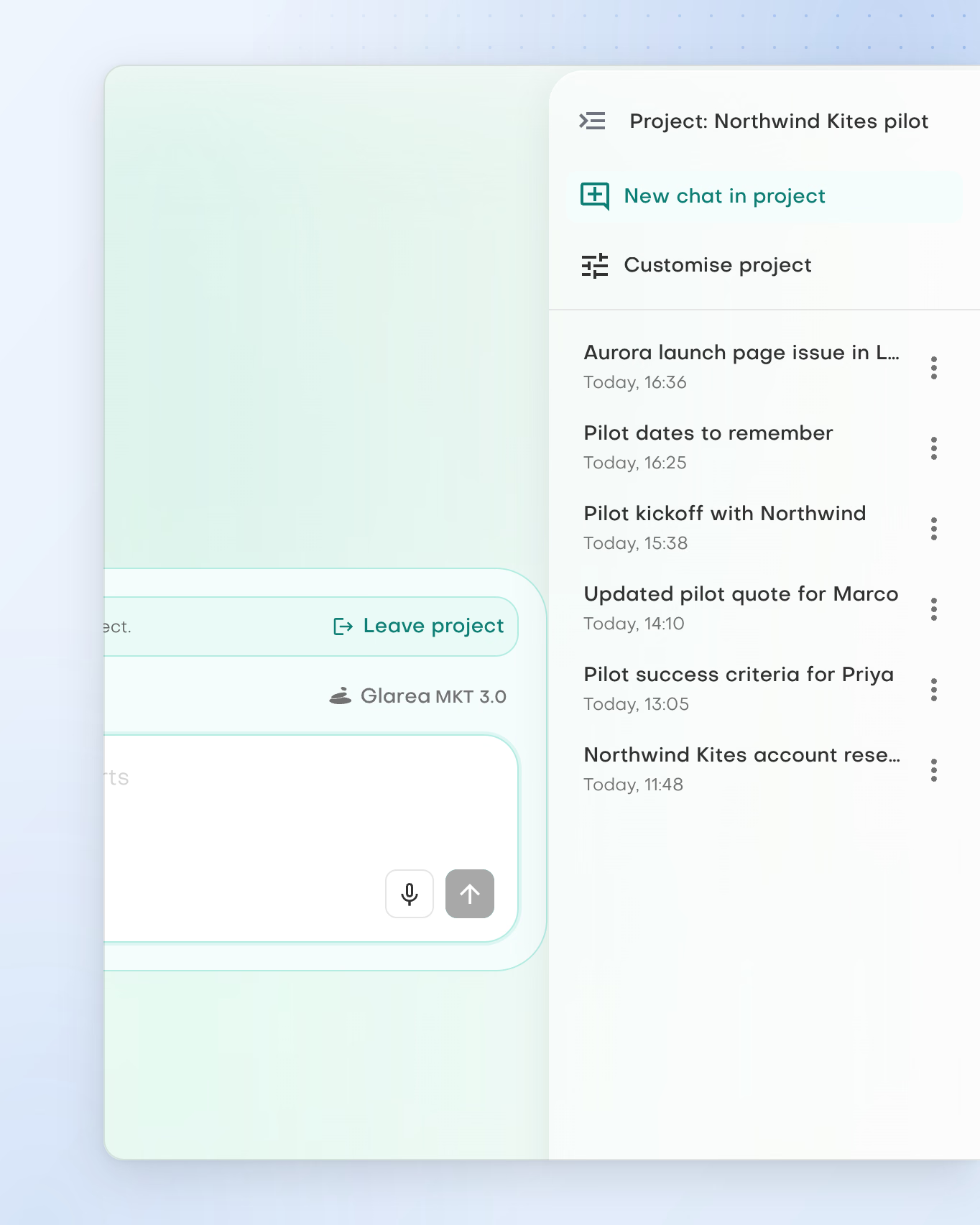
Projects keep the work together
File chats under a project. New chats started there stay in it, and the project panel lists every chat filed so far.
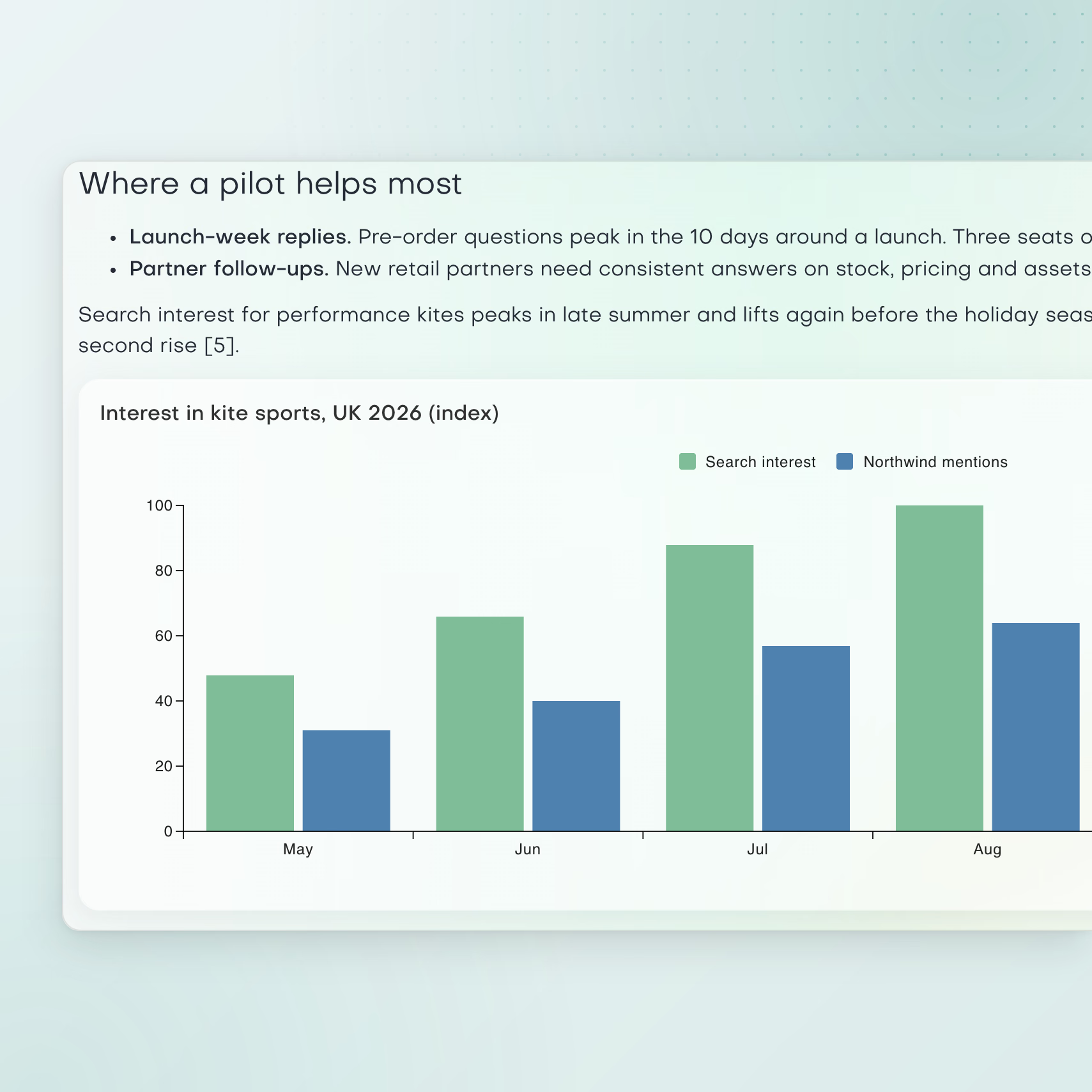
Research with sources
Ask for account research and get findings, reasoning and a chart in the chat, with numbered citations to check against the sources.
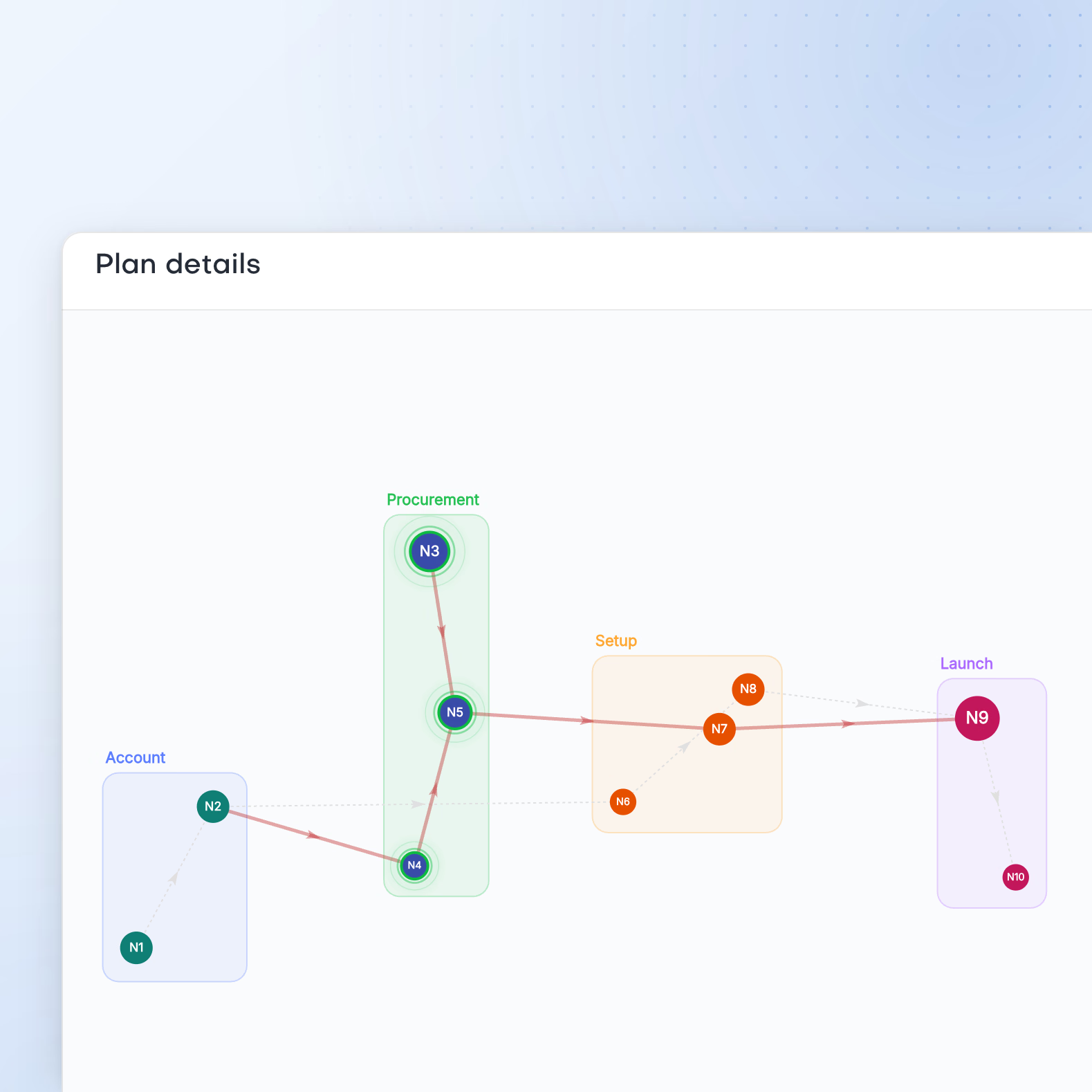
Inspect the plan
Inspect the steps and dependencies in a plan, then decide how to proceed before the assistant carries on.
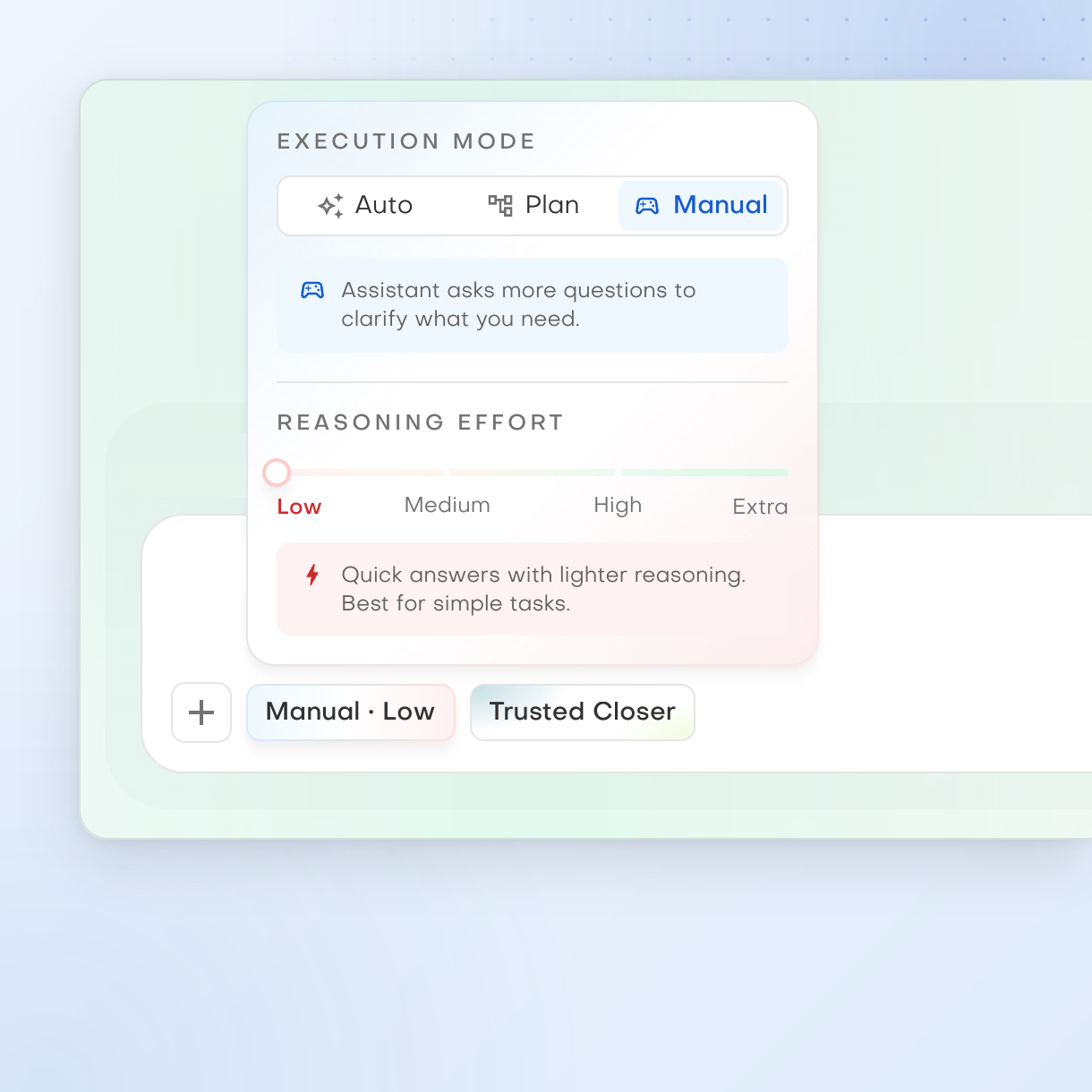
Manual mode
The assistant checks with you before any action that reaches outside the workspace. Shown with Low effort and the Trusted Closer personality.
As seen in
The press on how we build

Building reasoning AI between London and Lviv
6 October 2026
Our team on why we need neuro-symbolic AI
6 February 2025
Building between the UK and Ukraine
3 March 2025
A British startup and the team behind it
4 February 2025
A founder’s perspective on business AI
27 February 2025
A founder’s view on DeepSeek and data risk
29 January 2025
CTOs on DeepSeek in the enterprise
29 January 2025
A first funding round for a team in Lviv
22 January 2025 Launched 17 July 2026



The competitive landscape
Nine GTM directions.
One platform across them all
Our landscape research covers nine GTM directions. Only Pebbles Ai appears in every one of them.
| Web research | Lead generation | CRM and prospecting | Smartbox | Outreach | AI assistants | Context and Library | Integrations | Memory | Directions covered | |
|---|---|---|---|---|---|---|---|---|---|---|
| Pebbles Ai | Covered | Covered | Covered | Covered | Covered | Covered | Covered | Covered | Covered | 9 |
| HubSpot | Not covered | Covered | Covered | Covered | Covered | Covered | Covered | Covered | Not covered | 7 |
| Microsoft | Covered | Not covered | Covered | Covered | Covered | Covered | Covered | Covered | Covered | 8 |
| Covered | Not covered | Not covered | Covered | Covered | Covered | Covered | Covered | Covered | 7 | |
| OpenAI | Not covered | Not covered | Not covered | Not covered | Covered | Covered | Covered | Covered | Covered | 5 |
Web research
- Highest across all nine
- Top score: User-set autonomy
- Pebbles AiUser-set autonomy 80. All nine directions 69.
- PerplexityUser-set autonomy 40. All nine directions 21.
- DiffbotUser-set autonomy 10. All nine directions 6.
- FirecrawlUser-set autonomy 10. All nine directions 6.
- ApifyUser-set autonomy 10. All nine directions 5.
- Bright DataUser-set autonomy 10. All nine directions 5.




Editorial estimates (0 to 100) from our landscape research, not measured benchmarks. All nine directions: each vendor's average, an absent direction counting as zero.
A clear starting point
What is Pebbles Ai?
What does Pebbles Ai do?
Pebbles Ai is one workspace for the work of growing a business. AI assistants help you research your market, find leads, keep customer records, write outreach and answer email. They work from what they know about your company, so you do not explain your business from scratch each time.
What does GTM mean?
GTM means go-to-market: the work of bringing a product or service to the people who should buy it. A GTM operating system, or GTMOS, keeps that work in one connected workspace. It covers knowing your market, finding the right people, reaching out and following up. Pebbles Ai is a GTMOS.
Who is Pebbles Ai built for?
Anyone whose job is to grow a business. That includes founders, marketers, sales and business development people, and strategy and growth roles. You can start alone on Pro, or bring 2 to 20 people on Team. Organisation covers 21 to 50 seats, and Enterprise covers 51 or more.
How is it different from a CRM?
A CRM stores your contacts and deals. Pebbles Ai includes a CRM, labelled Beta, but it also does the work around it. It researches companies, finds leads, writes outreach and handles email, using your company's context. It is not a full replacement for a large, established CRM.
How is it different from ChatGPT?
ChatGPT is a general AI assistant for any task. Pebbles Ai is built for growing a business. It learns your company as you work, through Company Intel and memory. It keeps research, leads, customer records, outreach and email in one place. Its email drafts land in your connected mailbox, and new leads land in your CRM.
Does it work with Gmail, Outlook and Slack?
Yes. You can connect Gmail and Outlook inboxes, Google Calendar, Slack, Notion and a social publishing account. You can also add tools from the Pebbles Ai catalogue of MCP servers. Every connection is on every plan. You set them up in Settings, under Connections, and an admin adds some of them, such as Notion.
How is my data kept safe?
Pebbles Ai is independently assessed and starts with careful defaults. It is CASA II certified and Microsoft 365 certified, the security checks behind its Gmail and Outlook connections. It is also GDPR and CCPA compliant, with a data processing agreement in the trust centre. SOC 2 Type II and ISO 27001 are pending, with a target of Q2 2027. You sign in with Google, Microsoft or an emailed code, so there are no passwords. Uploaded files are virus-scanned.
How does pricing work?
You pay for each seat, monthly or yearly. Pro starts at $24 a month for one person. Team starts at $55 a month per seat, with at least two seats and up to 20. Each seat adds AI credits and leads to your Pebbles wallet. Bigger AI tasks use more credits, and each lead found uses one lead. The Pricing page shows every plan.
Can I try it for free?
Yes. Pro and Team come with a one-month free trial. The Pro trial includes 200 AI credits and 10 leads, and needs no credit card. The Team trial includes 600 AI credits and 100 leads, and needs a credit card and a business email domain. Organisation and Enterprise have no free trial.
How do I get started?
Choose Start free and sign up with Google, Microsoft or a code sent to your email. Add your website so Pebbles Ai can learn your company. Connect your Gmail or Outlook inbox. Then ask an assistant for your first real piece of work. If you would rather talk it through first, book a demo.
Still deciding? The questions page goes further, from how the assistants work to what Pebbles Ai costs and how it protects your data.
Your next chapter
Make room for work that matters
Bring a real go-to-market challenge and see where Pebbles Ai fits the way you work.